Trusted by 1,000+ Mac users in its first month

Ombrelle
One window stays bright. The rest of your Mac goes quiet.
Window dimming for Mac
v1.2.0 · 7 days trial · Runs entirely on your Mac
A modern HazeOver alternative for macOS users
One window stays bright. The rest of your Mac goes quiet.
Window dimming for Mac
v1.2.0 · 7 days trial · Runs entirely on your Mac
A modern HazeOver alternative for macOS users
Without vs. with
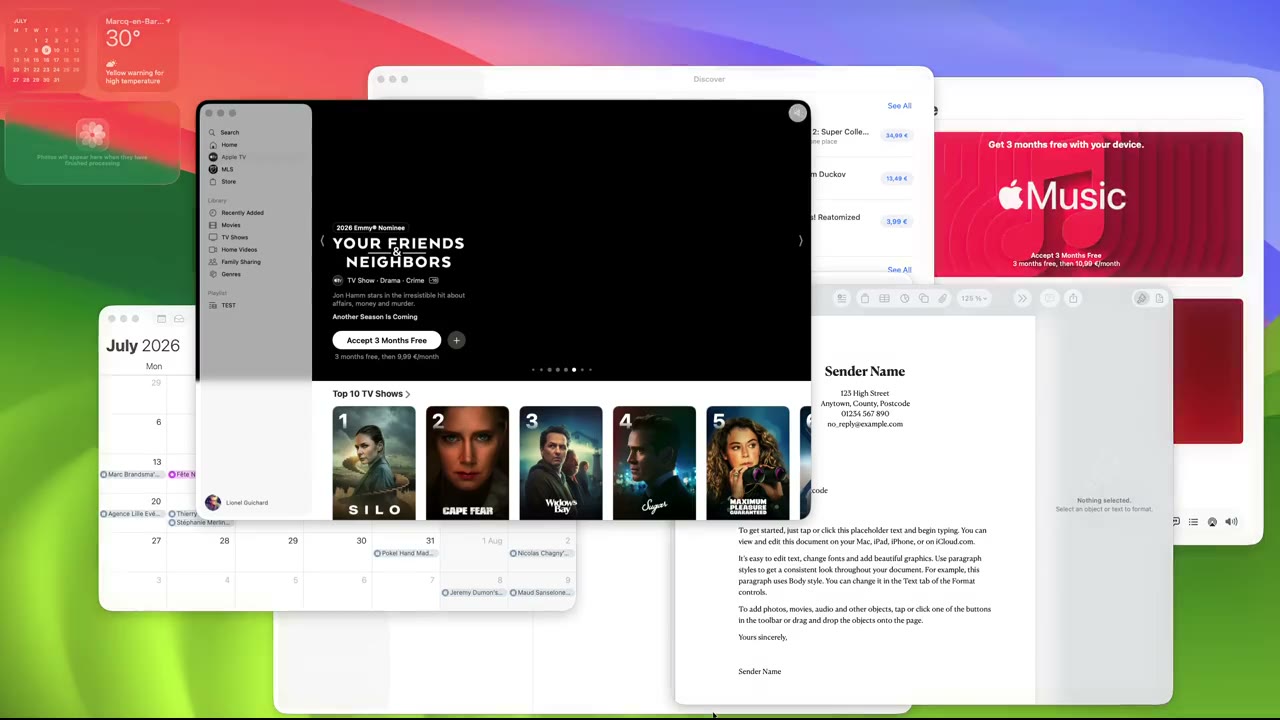
One window flashes, your eye follows, and twenty minutes are gone. This is a normal afternoon without window dimming: everything lit, everything competing. Watch what happens the moment Ombrelle switches on.
Click any window to bring it forward. · playing on its own until you do
By the way, this page can do it to itself. The umbrella in the corner is the switch.
That’s the point. It doesn’t ask for attention; it just quietly removes everything that was asking for yours.
Most focus tools want credit. A timer that counts down. A blocklist that nags. A report at the end of the day telling you how distracted you were.
Ombrelle does none of that. It sits beneath your front window and turns the noise down, automatically, every time you switch tasks. No setup per app. No decisions to make. You stop noticing it’s there.
Which is exactly when people switch it off to “test if they still need it” and immediately switch it back on.
Features
Menu bar control
Ombrelle stays quiet until you need to change how focus feels. The panel opens from the menu bar, then gets out of the way.
It feels like a small Mac utility because that is all it needs to be.
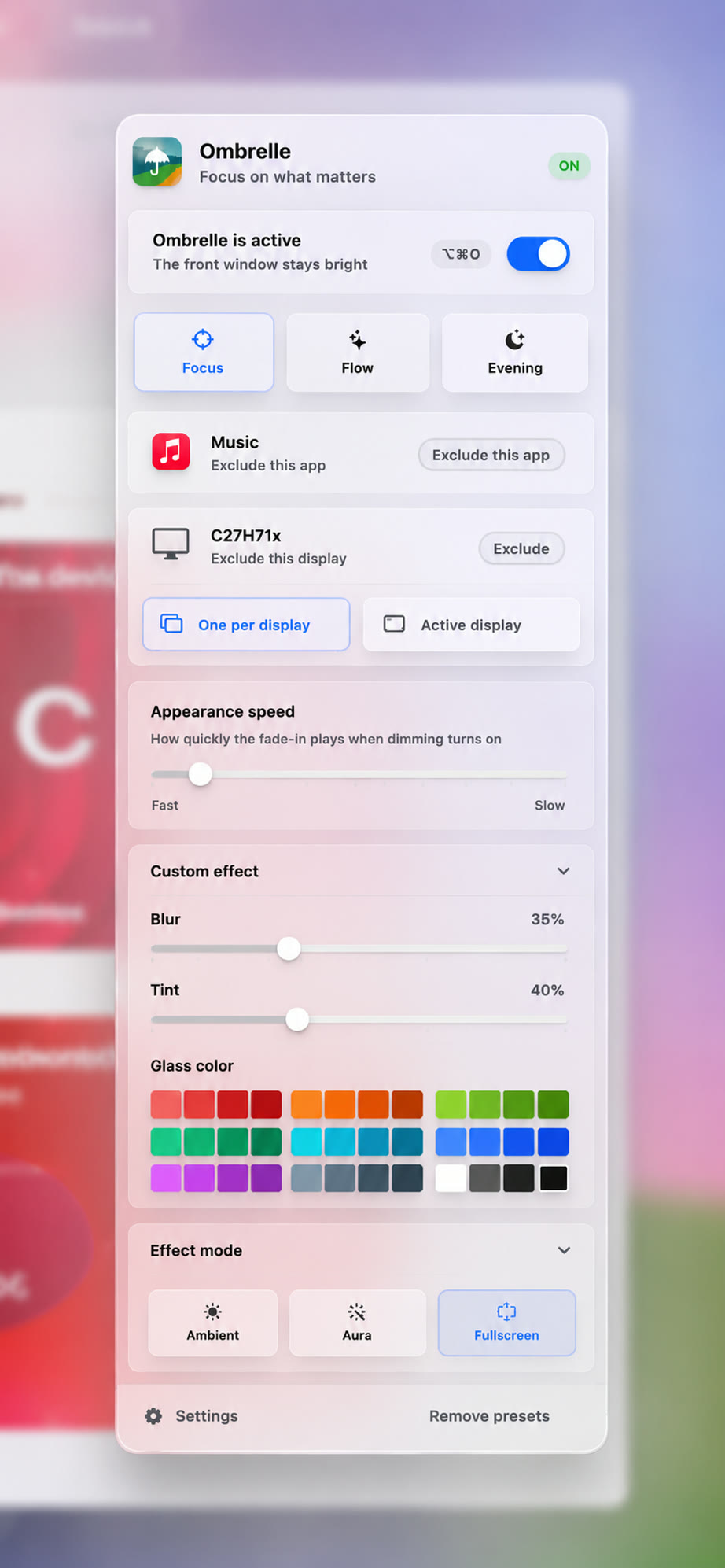
Multiple displays
Some setups want a calm reference screen left alone. Ombrelle handles both.
Recommended by
I love this. It lets me focus on the task at hand without minimizing every other window. I also use two monitors, and Ombrelle handles both without getting in the way.
Amazingly simple and effective. I keep Xcode, Safari, Slack, and notes open all day, and Ombrelle makes the window I’m using feel like the only one that matters.
It’s subtle, but I notice immediately when it’s off. My research can stay open beside the draft without constantly stealing my eyes. It makes my Mac feel much quieter.
The instant you switch windows, the old one dims and the new one snaps into focus: no flicker, no delay you can perceive.
Pick how dark the background gets, right from the menu bar. Most people set it once and never touch it again.
Dim across your whole desk setup, or leave a secondary display untouched for reference material.
No dock icon, no dashboard to check, no account to manage. Launches at login and stays out of the way.
Built to be lightweight: it stays under 5% CPU and around 200 MB of memory while it watches for focus changes, so your battery and your Mac’s performance never take a hit.
Custom modes
Different work calls for a different amount of quiet. Switch between modes from the menu bar, or let one run all day.
When the trial ends, it just ends.
macOS 14 Sonoma or later